
Candyland Registration and KYC
 Available in GB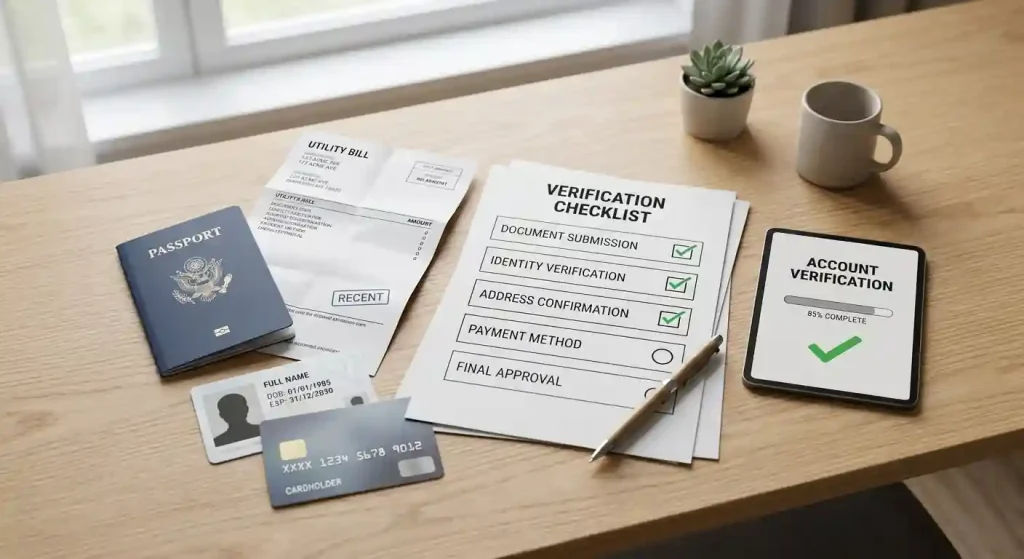
Account and verification guide
Candyland allows account registration and requires identity verification for withdrawals and security checks. Its current Banking page lists the documents used to approve a pending withdrawal: a copy of ID or passport, a recent utility bill showing the same name and address as the account, and, for card users, a masked copy of each payment card plus a signed Card Authorization Form. Alternative-payment users are listed as needing the ID or passport and utility bill.
The practical point is to prepare accurate account details and readable documents before a withdrawal is urgent. Candyland does not publish a verified fixed KYC turnaround time that this guide can promise, so the page focuses on requirements and preparation rather than an invented “verified in X hours” claim.
Table of Contents
- What registration means in practice
- Current Candyland KYC document list
- How to prepare documents without creating avoidable problems
- Registration, verification and withdrawal are three different checkpoints
- KYC and withdrawals are connected
- Do not rely on one Candyland age number
- Account controls and responsible-gambling tools
- Registration and KYC checklist for UK readers
- Verification should be prepared before a cash-out request
- One-account rules extend beyond the email address
- Sources checked for this guide
What registration means in practice
The current Candyland Terms require players to read and accept the casino’s rules before registration and state that only one casino account is permitted per person, household, IP address, email address or computer. The Terms also make the account holder responsible for keeping account credentials confidential.
That does not justify inventing a field-by-field sign-up walkthrough. Registration forms can change, and the approved evidence does not lock a permanent list of form fields. The useful preparation is simpler: use your own details, keep those details consistent with the documents you may later submit, and avoid creating duplicate or linked accounts.
Current Candyland KYC document list
Candyland’s official Banking page currently states that verification documents are required to approve a pending withdrawal. For a player who deposited by card, the published list is:
- a copy of ID or passport, front and back;
- a recent utility bill showing the player’s name and address as they appear in the account;
- a copy of any credit or debit card used to deposit, front and back, with all numbers covered except the first four and last four;
- a signed Card Authorization Form.
For players who used an alternative payment method such as Neteller or Skrill, the Banking page lists the ID or passport and recent utility bill. It also says verification documents can be requested for fraud-prevention purposes and that the Finance department reviews submitted documents.
This is a current official checklist, but it should not be stretched into claims the source does not make. The page does not promise that every account will be asked for exactly the same sequence of checks, and it does not give a reliable fixed verification completion time.
How to prepare documents without creating avoidable problems
The most useful KYC preparation is consistency. If the name or address on the casino account does not match the evidence you send, the review can require extra clarification. If a card copy is requested, Candyland’s own Banking instructions say to hide the middle card digits while leaving the first four and last four visible.
Image quality also matters. Candyland asks users to send clear digital pictures rather than blurry copies. A practical document pack therefore includes a legible identity document, a recent address document and any payment-specific evidence relevant to the method actually used.
- Check that the account name matches the identity document.
- Check that the account address matches the current address evidence.
- Photograph or scan the whole requested document clearly.
- Mask card numbers exactly as instructed rather than sending unnecessary full card data.
- Keep copies of what you submit and note when you submitted them.
Registration, verification and withdrawal are three different checkpoints
It helps to separate three stages that are often collapsed into one “sign-up” question. Registration creates the account. Verification checks whether the identity and payment evidence supports the account information. Withdrawal approval then applies the casino’s cash-out rules and can depend on successful verification.
That distinction prevents two common mistakes. First, being able to open an account does not prove that a later withdrawal will be approved without documents. Second, submitting documents does not by itself settle every withdrawal condition, because payment method, wagering and other cash-out terms are handled separately. For UK readers, Candyland’s current Terms also contain a UK-specific Bitcoin-only withdrawal clause, which belongs in the withdrawal guide rather than in the KYC checklist.
A sensible sequence is therefore to review the account rules, inspect the verification list, understand the withdrawal method and only then decide whether the overall process suits you. This is more useful than treating registration speed as the main measure of account quality.
KYC and withdrawals are connected
Verification is not just a sign-up issue. Candyland’s Terms and Banking page connect document checks to withdrawal approval. That is why a player who is comfortable depositing but has not looked at the verification requirements can encounter friction later, when a cash-out is pending.
The separate Candyland withdrawals covers current withdrawal timing, minimums and the UK-specific Bitcoin rule. For the broader cashier picture, see Candyland payment methods. Keeping those topics separate makes it easier to distinguish a document requirement from a payment-method rule.
Do not rely on one Candyland age number
Candyland’s own published pages contain inconsistent age wording. The current Terms say 25 or older while also referring to local law, the Responsible Gaming page refers to 18 or the legal-consent age in the player’s jurisdiction, and the FAQ says the minimum depends on where the player lives. Because those official statements conflict, this guide does not publish one definitive Candyland-specific minimum-age figure.
The safe editorial conclusion is narrow: do not register unless you meet the legal gambling-age requirements that apply to you, and check the current account and terms wording before proceeding. This avoids turning inconsistent source material into a false single rule.
Account controls and responsible-gambling tools
Candyland’s current Responsible Gaming page states that players can request self-exclusion and can set a deposit amount limit. It also describes temporary breaks and account closure through support. These are Candyland-specific tools and should not be confused with protections that apply only to UK Gambling Commission licensees.
UKGC licensees in scope are subject to separate regulatory requirements, including participation in the national multi-operator self-exclusion scheme. The dedicated licence page covers Candyland’s regulatory status; this account page only describes the brand-specific account controls supported by the available evidence.
For the regulatory distinction, use the licence and trust guide rather than assuming that a casino’s own account controls prove local licensing.
Registration and KYC checklist for UK readers
- Use one account and enter details you can support with documents.
- Review current Candyland Terms before registering.
- Expect identity verification to matter when withdrawing and for security checks.
- Prepare ID or passport and recent address evidence.
- If you deposited by card, prepare the masked card copy and signed CAF listed by Candyland.
- Do not plan around a fixed KYC completion time because no verified exact turnaround is available.
- Review the UK FAQ and checklist before depositing if licensing and consumer-protection questions matter to you.
For the wider brand picture, return to the full Candyland Casino UK review.
Verification should be prepared before a cash-out request
Candyland’s Banking page says verification documents are reviewed by the Finance department before a name is added to the next available payment cycle. It does not publish a dependable fixed KYC turnaround, so this guide does not promise one. The practical advantage comes from preparing the listed documents before a withdrawal rather than trying to predict how many hours or days review will take.
The same Banking page says the casino may request verification documents for fraud-prevention purposes and may require them when it considers account validation essential. That means KYC should not be treated as a one-time box that can only appear at registration. Keep the account name, address and payment-method ownership consistent throughout the account lifecycle, because mismatches can create a separate review issue even when the documents themselves are valid.
One-account rules extend beyond the email address
The current Terms prohibit more than one Candyland account per person and also include household, device, IP-address and email restrictions. They further refer to linked accounts on affiliated or sister casinos. For a shared household, this makes it sensible to read the current rule before another person registers from the same device or connection rather than assuming that using a different email is enough.
This is an account-rule issue, not a claim that every shared connection will automatically be rejected. The Terms give the casino broad enforcement discretion, so users in shared environments should resolve the rule with support before depositing if there is any uncertainty.
Sources checked for this guide
The exact verification list was rechecked against Candyland’s current official Banking page. Account rules and age wording were checked against the current Terms, and account-control tools were checked against Candyland’s Responsible Gaming page. The UKGC licensing distinction is covered in the separate licence page.